How to use the commercial XFINIUM.PDF nuget packages
Using the commercial nuget packages in your project requires the creation of a local nuget source and then updating the project from the local source. Nuget.org hosts only the XFINIUM.PDF evaluation nuget packages and these packages cannot be unlocked.
The following steps show how to use the commercial XFINIUM.PDF nuget packages in your project.
1. Create the local nuget source
A local nuget source can be create either using Visual Studio or using the nuget.exe CLI.
1.1. Use Visual Studio to create the local nuget source
Start Visual Studio 2026 (for other versions the steps are the same but the UI is a bit different) and go to TOOLS > Options > Nuget Package Manager > Sources
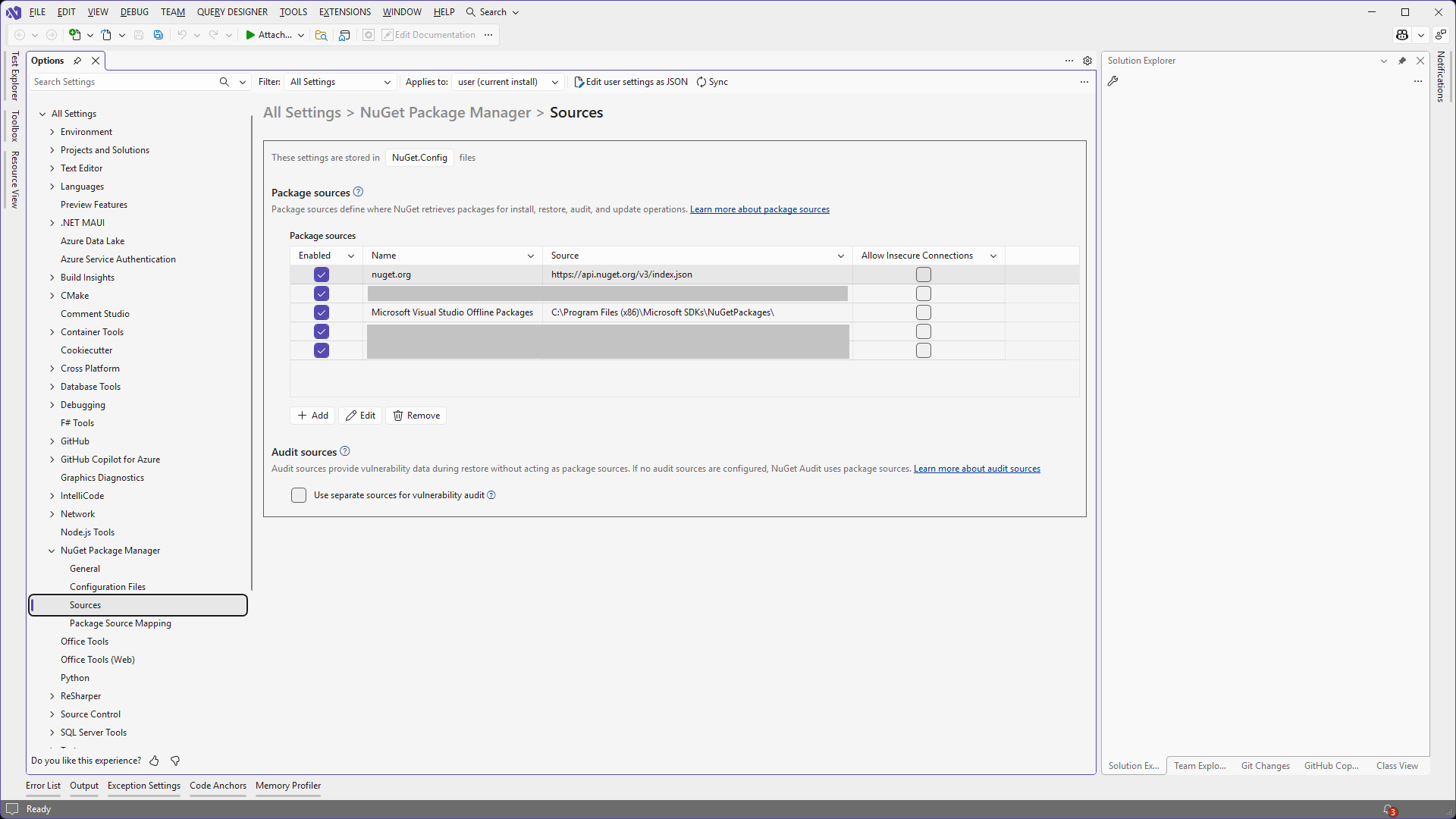
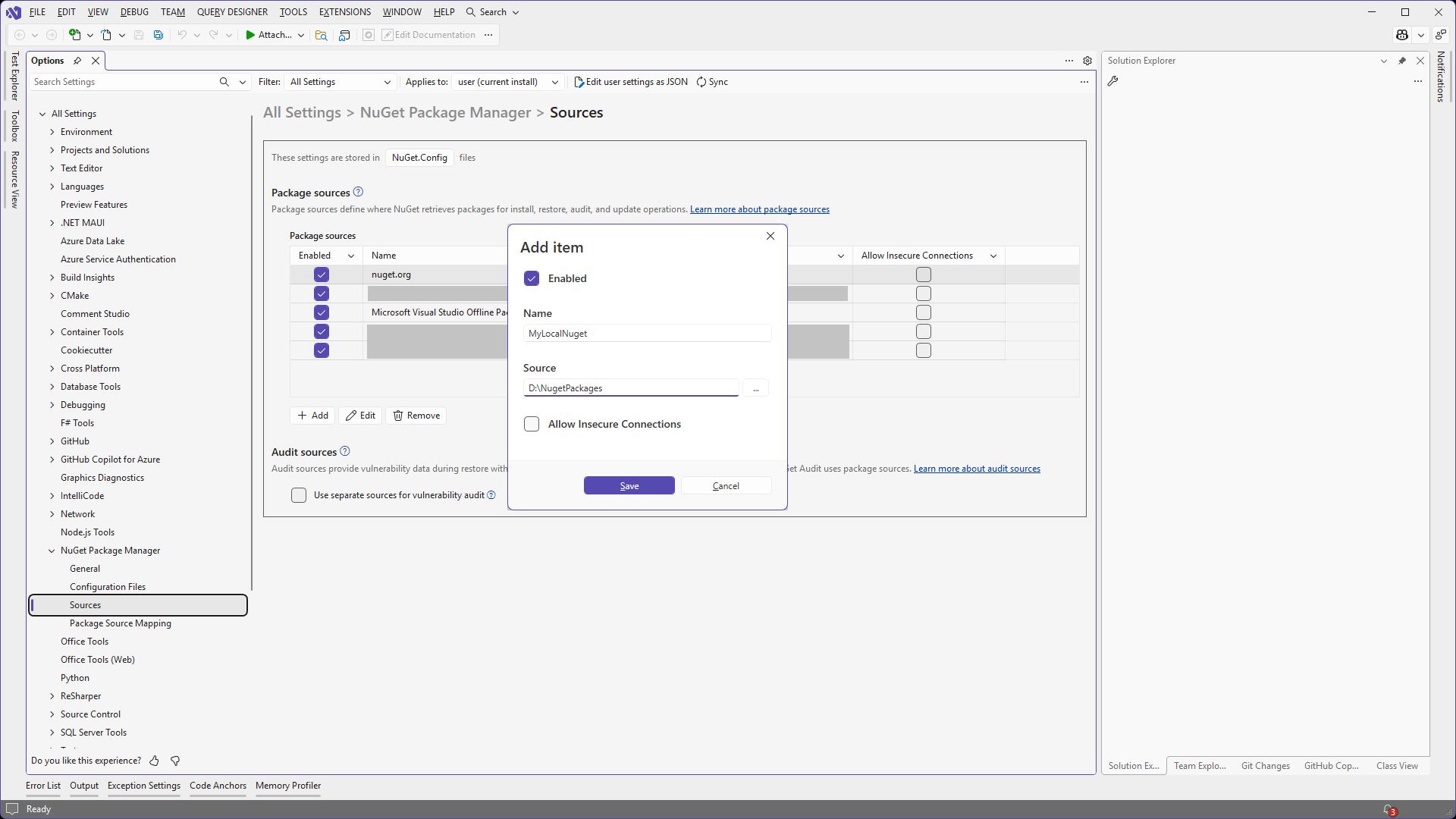
Click + Add button. In Add Item window set the Name to MyLocalNuget and Source to a local folder on your disk or a network share. In this example we'll use D:\NugetPackages folder for Source. Click Save.
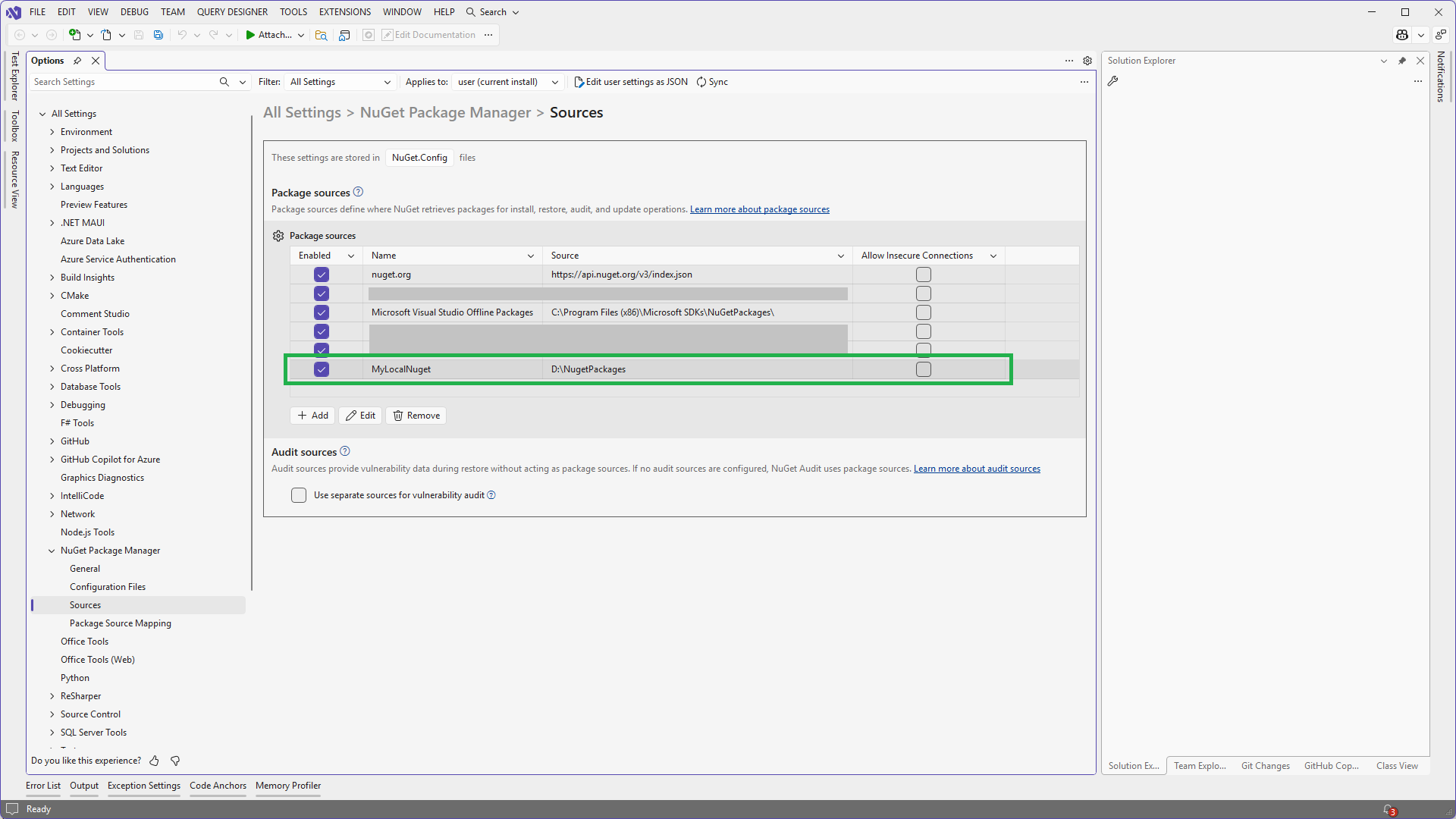
Your new source should appear in the list of package sources.
1.2 Use nuget.exe CLI to create the local nuget source
A local nuget source is created from command line using the nuget sources add command:
nuget sources Add -Name MyLocalNuget -Source D:\NugetPackages
If the new source has been created with success you should receive a confirmation message in the console:
Package source with Name: MyLocalNuget added successfully.
2. Copy the commercial XFINIUM.PDF nuget packages to local source
The commercial XFINIUM.PDF nuget packages must be copied to the folder used as Source for the MyLocalNuget package source.
3. Use the commercial XFINIUM.PDF nuget packages in your project
In order to use the commercial nuget packages in your application you need to add a reference to them in your project. This can be done either using Visual Studio or using the dotnet CLI.
3.1. Use Visual Studio to reference the commercial XFINIUM.PDF nuget packages in your project
Open your application project in Visual Studio and in Solution Explorer right click on your project name and select Manage Nuget Packages...
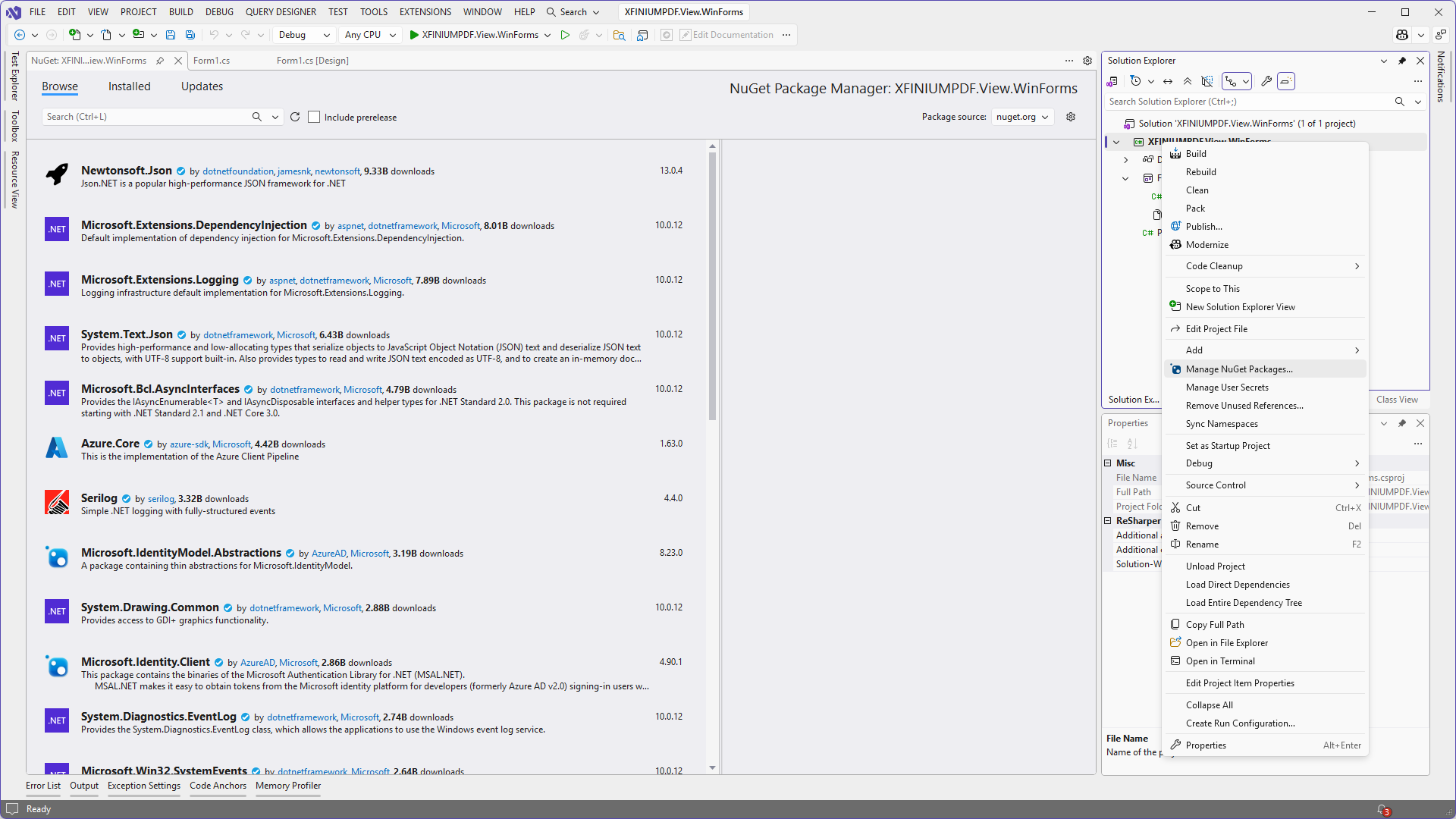
In the Nuget Package Manager window locate Package Source in the top right corner and select the local source (MyLocalNuget) you added in step 1. The commercial XFINIUM.PDF nuget packages that have been copied in the Source folder should be displayed.
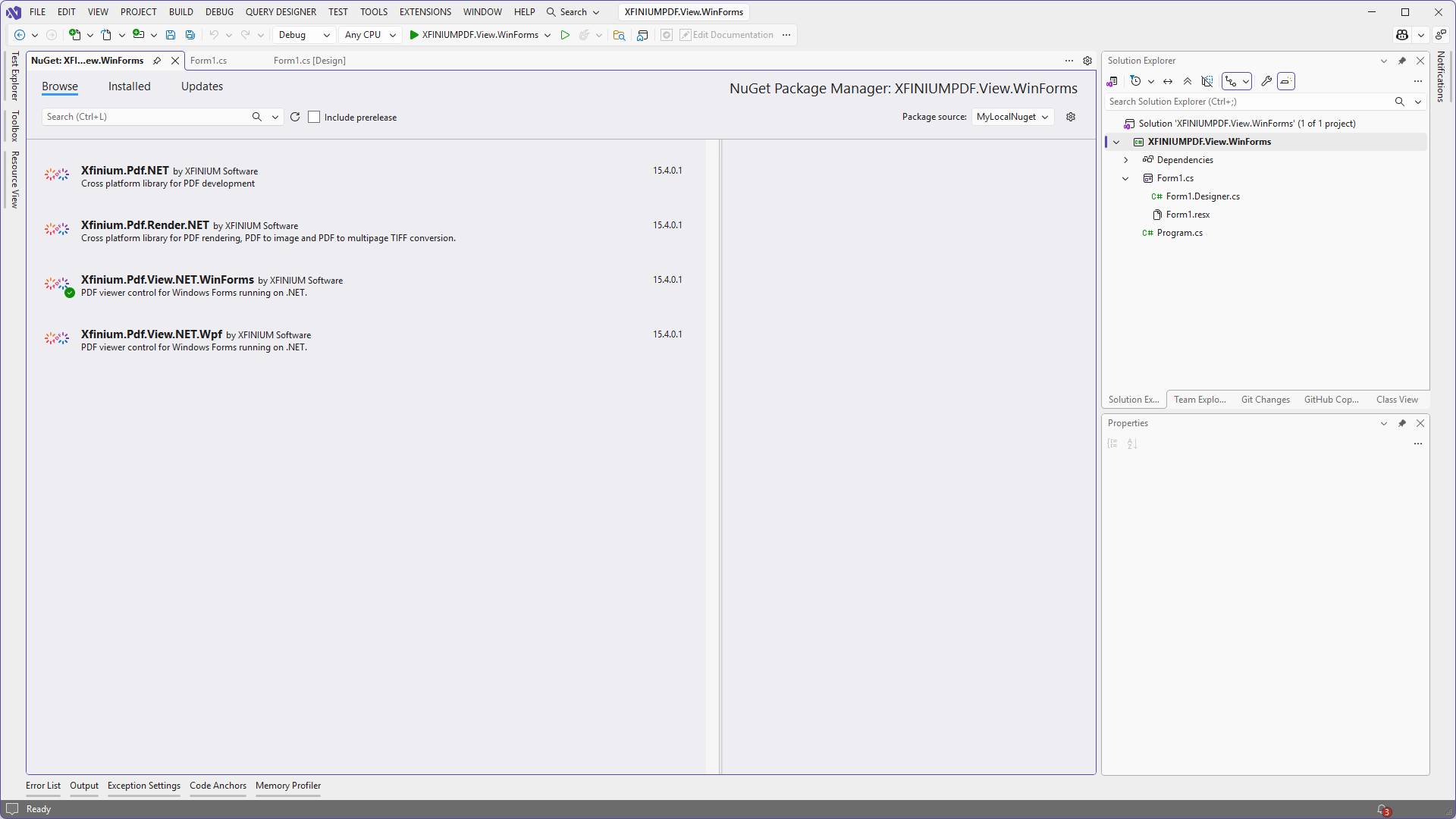
Select the desired nuget package and click Install. If everything goes as expected then a reference to the XFINIUM.PDF nuget package will be added to your project.
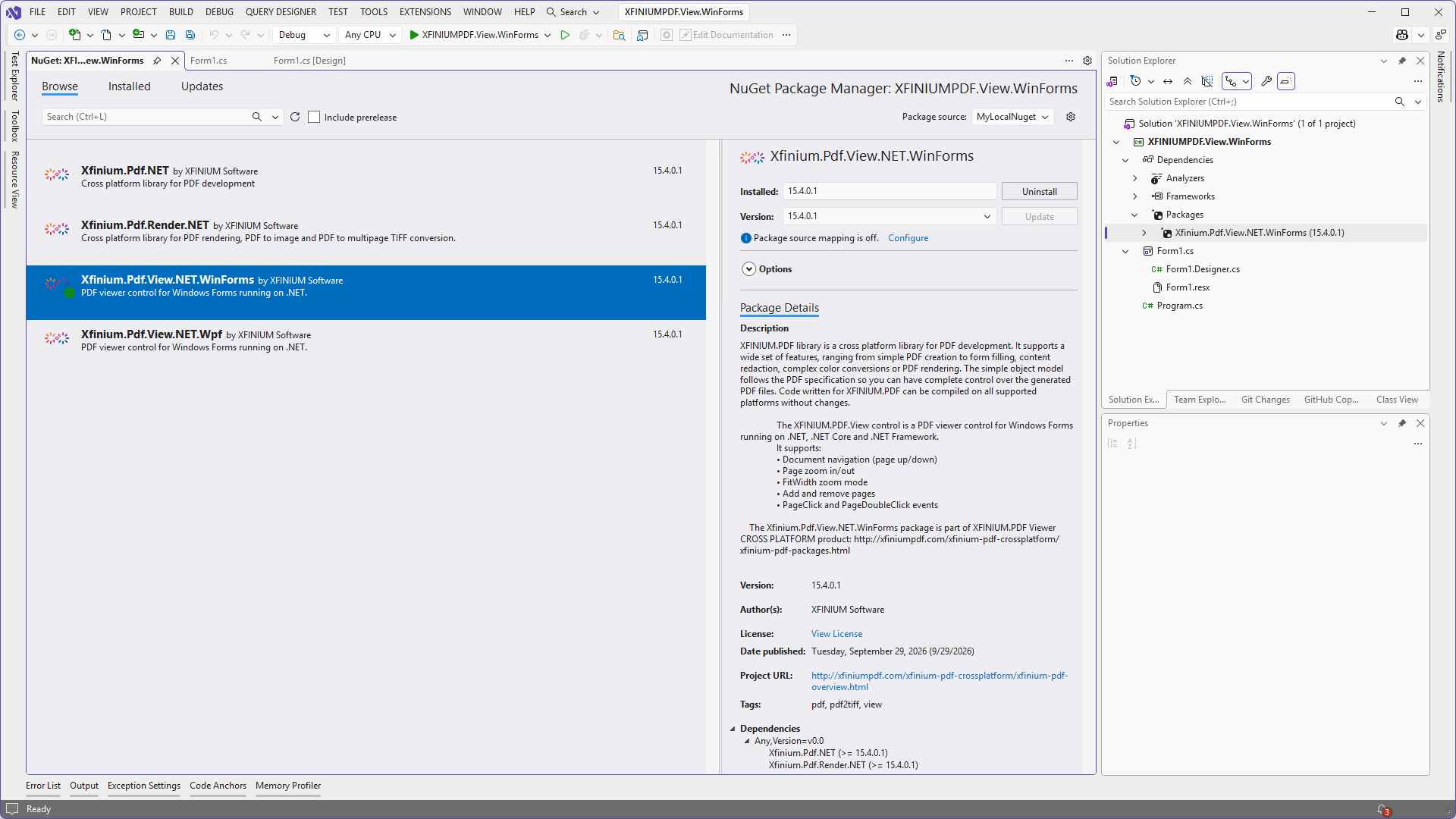
3.2. Use dotnet CLI to add a reference to commercial nuget packages in your project
The dotnet package add command will add a reference to a nuget package to your project. Use the command line below to add a reference to a XFINIUM.PDF commercial nuget package to your project:
dotnet package add XFINIUM.PDF.NET@16.4.0.1 --source MyLocalNuget
The --source parameter is required so that a reference to a specific XFINIUM.PDF commercial nuget package is added to your project. Replace the package name in the example above with the XFINIUM.PDF nuget package you need.
4. Update XFINIUM.PDF commercial nuget packages in your project
The update process follows the same above steps.
The new XFINIUM.PDF commercial packages must be copied to the Source folder and then the project is updated from the local source.